Verification for Returning Forum Members
Welcome back! If you were a member of our previous forum community, we’d love to verify your identity so you can reconnect with old friends and maintain your established reputation.
Why Verify?
Verifying your account helps us:
- Maintain a Trusted Community: It ensures that returning members are who they say they are.
- Reconnect with Friends: It helps you find and reconnect with members you knew from the old forum.
- Carry Over Your Reputation: But not your LoL tags.
How to Verify
-
Head to
#help-and-requests: Once you’ve completed the initial onboarding, navigate to the#help-and-requestschannel. This is where you’ll submit your verification request.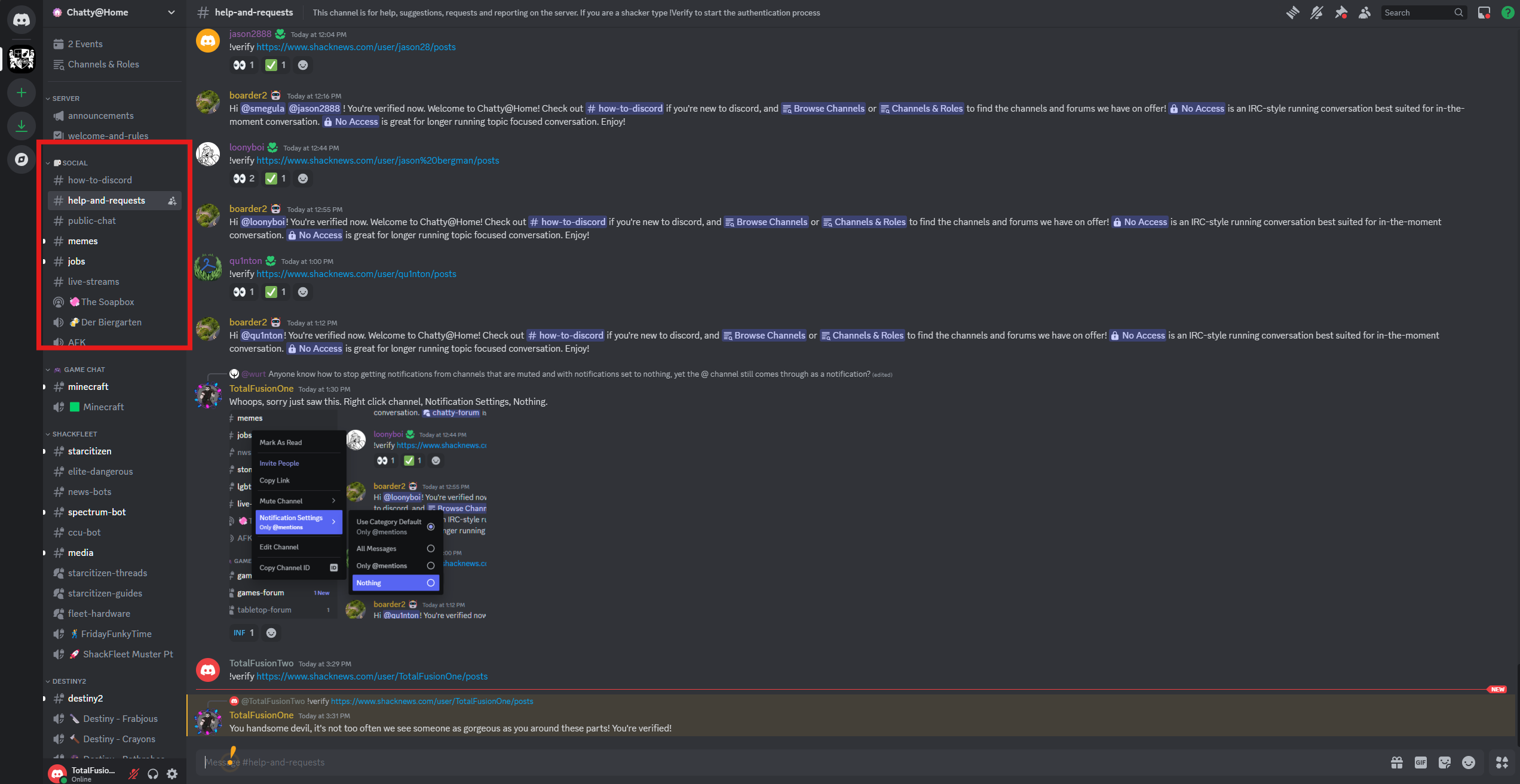
-
Use the
!verifyCommand: In the#help-and-requestschannel, type the command!verifyfollowed by the link to your old forum profile, all in one message.Example:
!verify https://www.shacknews.com/user/TotalFusionOne/posts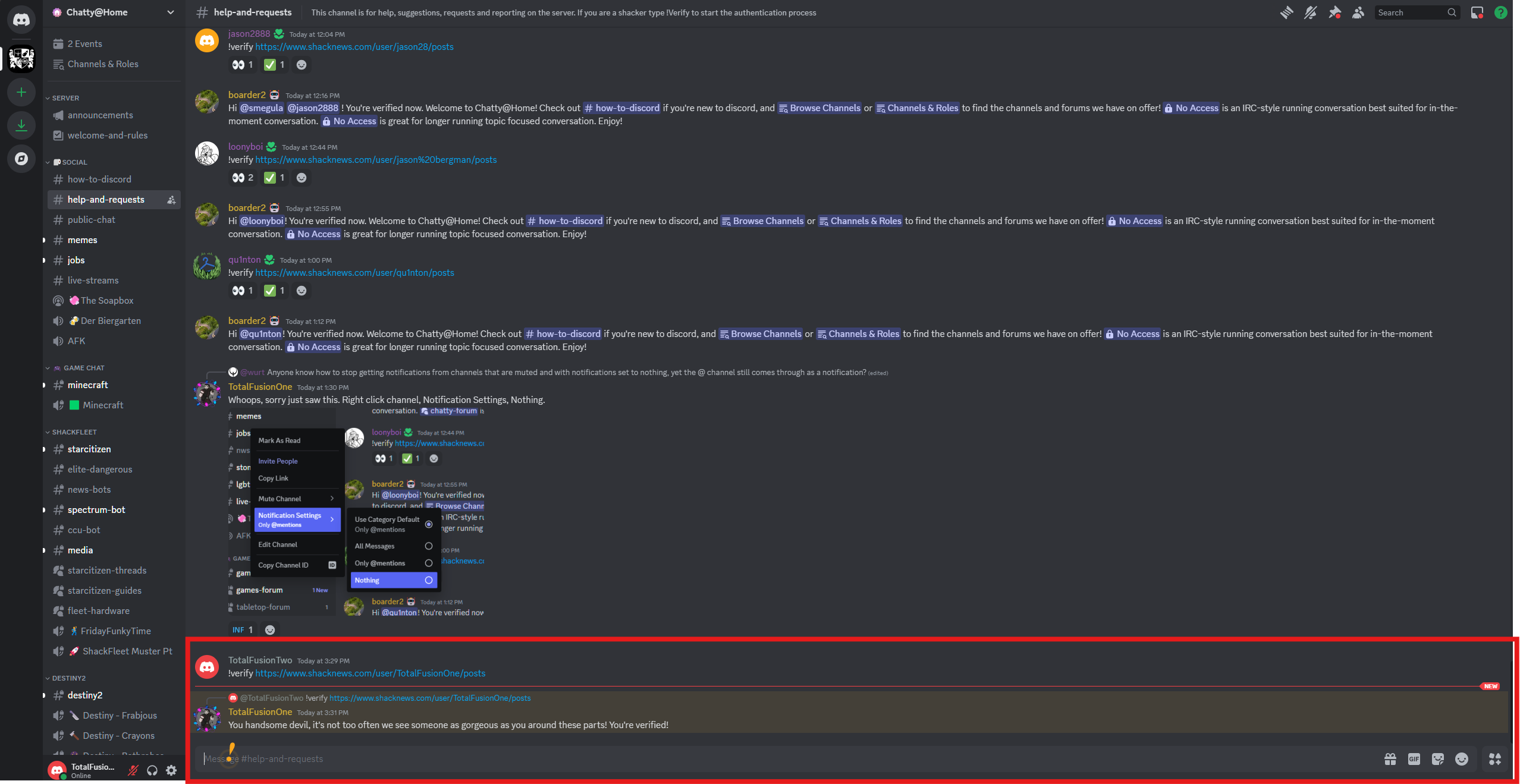
-
Submit Your Profile Link: Make sure the link is to your public profile page on our old forum. Send the message containing the
!verifycommand and your link. -
Wait for Confirmation: Our moderators will review your submission and verify your account. This process may take some time, so please be patient. Once your account is verified, you’ll receive a notification and may be granted a special role.
What if I Can’t Find My Old Profile Link?
If you’re having trouble locating your old forum profile link, don’t worry! Just type a message in #help-and-requests explaining the situation, and one of our moderators will assist you.
We appreciate you taking the time to verify your account. It helps us build a stronger and more connected community here on Discord!